Liquidity Master
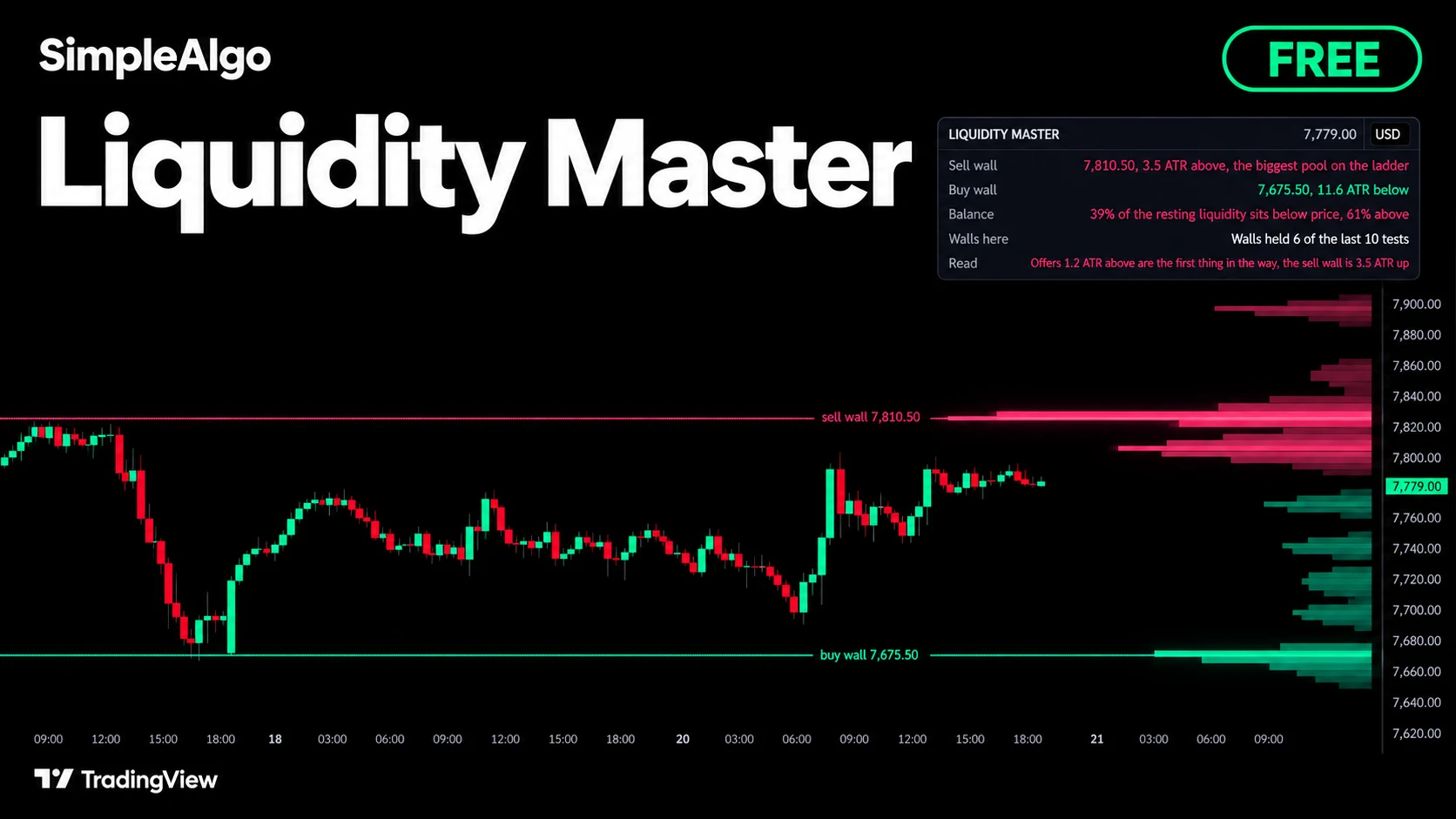
The order book, read off the chart. Liquidity Master maps where resting orders sit: stops just past every swing high and swing low, and the bids and offers that showed themselves in rejected wicks. It draws what is left as a depth ladder beside price, names the biggest wall on each side, and keeps the score of how walls on this chart have held.
Getting started
- 1Open TradingView and click IndicatorsSearch for "Liquidity Master SimpleAlgo" in the Community scripts tab.
- 2Add Liquidity Master to your chart
- 3Keep the defaultsThe defaults suit most markets and timeframes. The ladder covers the last 300 bars; match it to how many bars you keep on screen.
- 4Add alerts if you want themSet them to "Once per bar close".
What you see on the chart
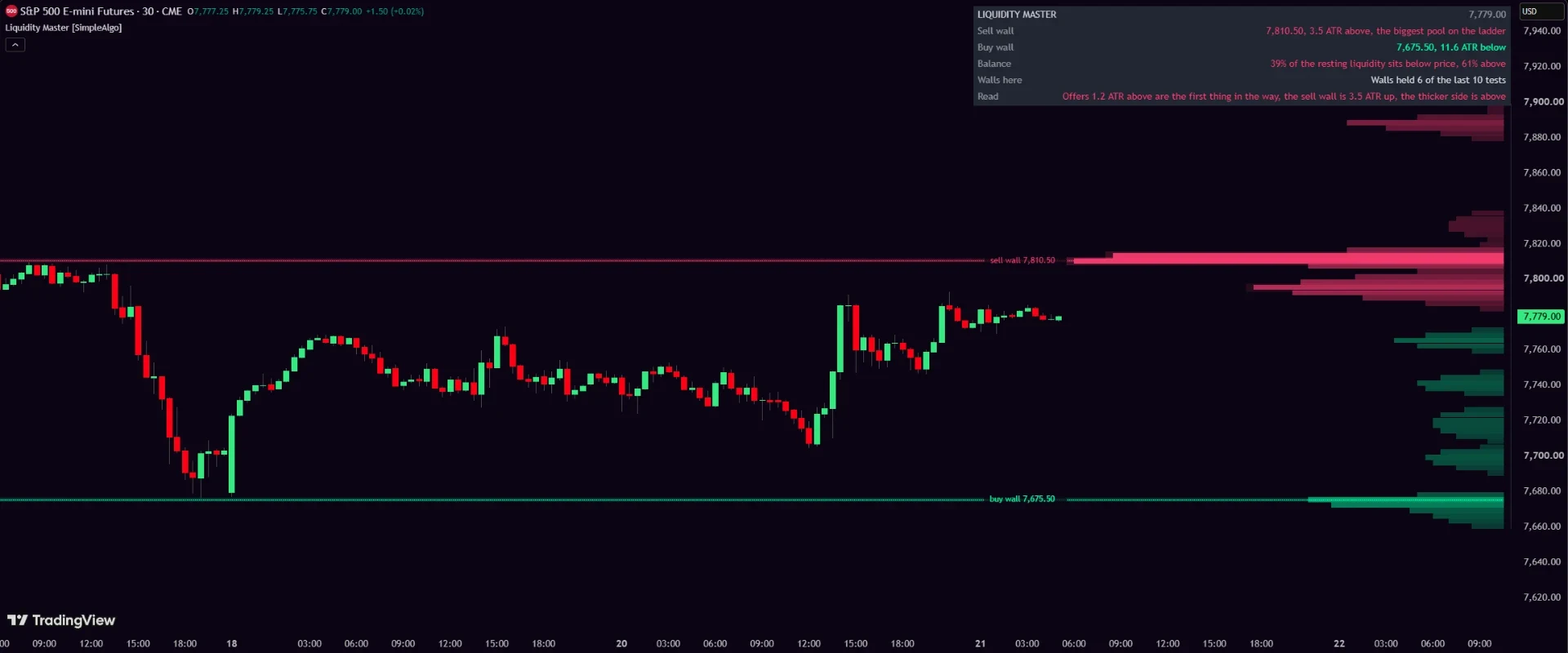
- The depth ladder: rows beside price showing how much liquidity rests at each level. Bids below in one colour, offers above in another. The longer the bar, the more is resting there.
- The sell wall: a line at the biggest pool above price, labelled with its price.
- The buy wall: the same for the biggest pool below price.
- A panel in the corner with the walls, the balance, the record and a one-line read.
How it works
Where the pools come from
Two kinds of resting orders are mapped. Stops rest just past swing highs and swing lows: a swing needs the Swing strength number of lower highs or higher lows on each side to confirm. And when a wick at least the Wick rejection length (in ATRs) is rejected, the orders that absorbed that push stay on the ladder at the wick's price zone.
Pools spend and age out
When price trades all the way through a pool, that liquidity is spent and the pool is removed. Pools also fade with time: half of a pool is gone after the Liquidity ages out setting in bars, because orders get pulled. The ladder always shows what is left, not what once was.
The walls
The biggest row on each side of price, at least 0.3 ATR away, is named the wall. The sell wall sits above, the buy wall below, each drawn as a line with its price. A wall only counts when it holds at least half the weight of the biggest row on the ladder.
The record
When price reaches a wall, the test is judged on closes. A close back off the wall means it held; a close through it means it broke. The last ten tests are kept, and the panel shows how many held. It describes the chart you're looking at; it doesn't predict the next test.
The panel
| Row | What it shows |
|---|---|
| Sell wall | The wall's price and how far above it is in ATRs, when it is the biggest pool on the ladder. |
| Buy wall | The same for the wall below price. |
| Balance | How the resting liquidity splits: what share sits below price and what share above. |
| Walls here | How many of the last ten wall tests on this chart held. |
| Read | One line, such as Offers 1.2 ATR above are the first thing in the way, the sell wall is 3.5 ATR up. |
Alerts
- Sell wall reached: price traded up to the sell wall
- Buy wall reached: price traded down to the buy wall
- Wall held: price backed off the wall
- Wall broke: price closed through the wall
Set them to Once per bar close. Held and broke are judged on closes, so a live bar can still change the outcome.
Settings
| Setting | What it does |
|---|---|
| Swing strength (bars) | How many lower highs or higher lows a swing needs on each side before its stops are mapped. 4 by default. Raise it for bigger, rarer swings. |
| Wick rejection (ATR) | The smallest wick that counts as absorbed orders. 0.45 ATR by default. |
| Liquidity ages out over (bars) | Half of a pool is gone after this many bars. 300 by default. Lower it if you only care about fresh orders. |
| Bars to compute | The engine runs on the most recent bars only, to keep the chart fast. 1500 by default. |
| Ladder sits | Over the last bars, like a volume profile, or Right of price in the empty margin. |
| Ladder width (bars) / Rows | How wide the ladder draws and how many rows it has. 30 bars and 80 rows by default. |
| Ladder covers (bars) | The price range the ladder spans, from this many recent bars. Match it to how many bars you keep on screen. |
| Colours | Mint and Pink, Ice, or Custom with your own bid and offer colours. |
| Wall lines / Panel | Show or hide the wall lines, and choose the panel's corner and size. |
How to read it
- 1Start with the balanceThe Balance row tells you which side of price holds more resting liquidity.
- 2Then the wallsThe buy wall and sell wall are the biggest pools on each side. They are the levels the market is most likely to react to first.
- 3Watch the testWhen price reaches a wall, the Read row follows it live, and the close decides: held or broke.
- 4Check the recordWalls here shows how walls on this chart have held lately. A wall that usually holds is a different level from one that usually breaks.
Common questions
Yes. It's free and open source on TradingView, no membership needed.
Pools, walls and the ladder update as new swings and wicks form, which is how any liquidity map works. Wall tests are judged on closes, and once a bar closes nothing about it changes. The record is only written on closed bars.
No. It maps where resting orders likely sit based on swing points and rejected wicks, drawn from the chart itself. It doesn't connect to any exchange's order book.
No. It marks price reaching a level where many orders likely rest. Combine it with your own analysis, and manage your risk.