Signal Line
A dynamic line that reacts to confirmation signals and momentum changes, serving as a quick visual reference for setup validation.
How It Works
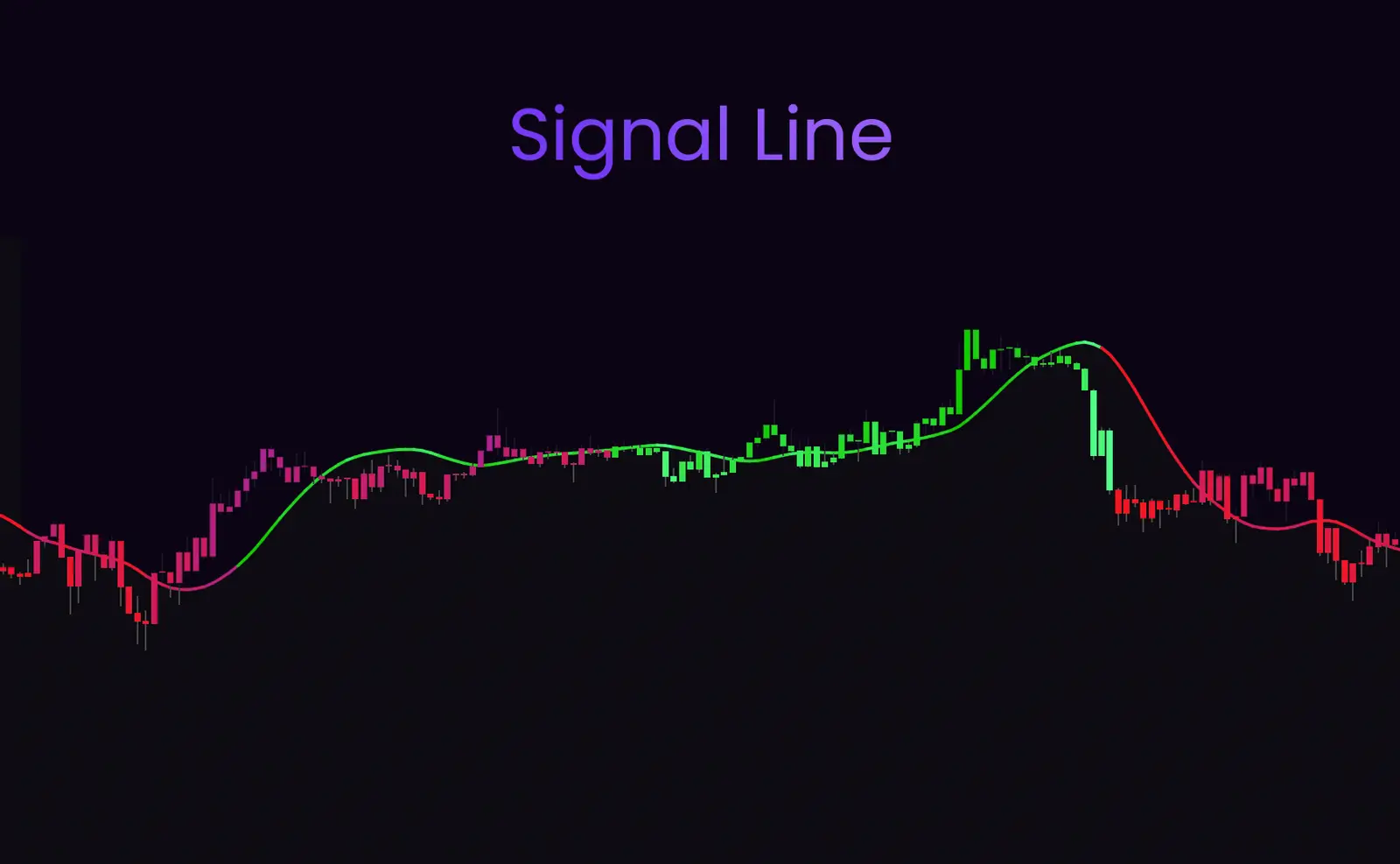
The Signal Line changes color and position based on the current market environment:
Green Signal Line
Indicates bullish momentum and favorable conditions for long positions
Red Signal Line
Indicates bearish momentum and favorable conditions for short positions
Line Crosses
When the Signal Line crosses price, it may signal momentum shifts
Best Used For
- ✓ Quick visual confirmation of current market bias
- ✓ Identifying momentum shifts when line changes color
- ✓ Using as dynamic support/resistance in trending markets
- ✓ Combining with confirmation signals for entry timing
- ✓ Filtering out weak setups (e.g., waiting for line alignment)
Trading Strategies
Momentum Alignment
Only take signals that align with the Signal Line color:
- • Green Signal Line → Look for buy signals
- • Red Signal Line → Look for sell signals
- • Color change → Potential trend reversal
Dynamic Support/Resistance
In strong trends, the Signal Line often acts as a moving support (in uptrends) or resistance (in downtrends). Look for price to bounce off the line as a re-entry opportunity in the direction of the trend.
💡Pro Tip
The Signal Line is most effective when combined with other overlays. Use it as a final filter—if the Signal Line color doesn't match your intended trade direction, consider waiting for better conditions.