Introducing Simple Oscillator Pro: Is Momentum With You or Against You?
Simple Oscillator Pro is a brand new momentum indicator for premium members. One pane shows whether momentum is with you or against you, and how much fuel is left in your trade.
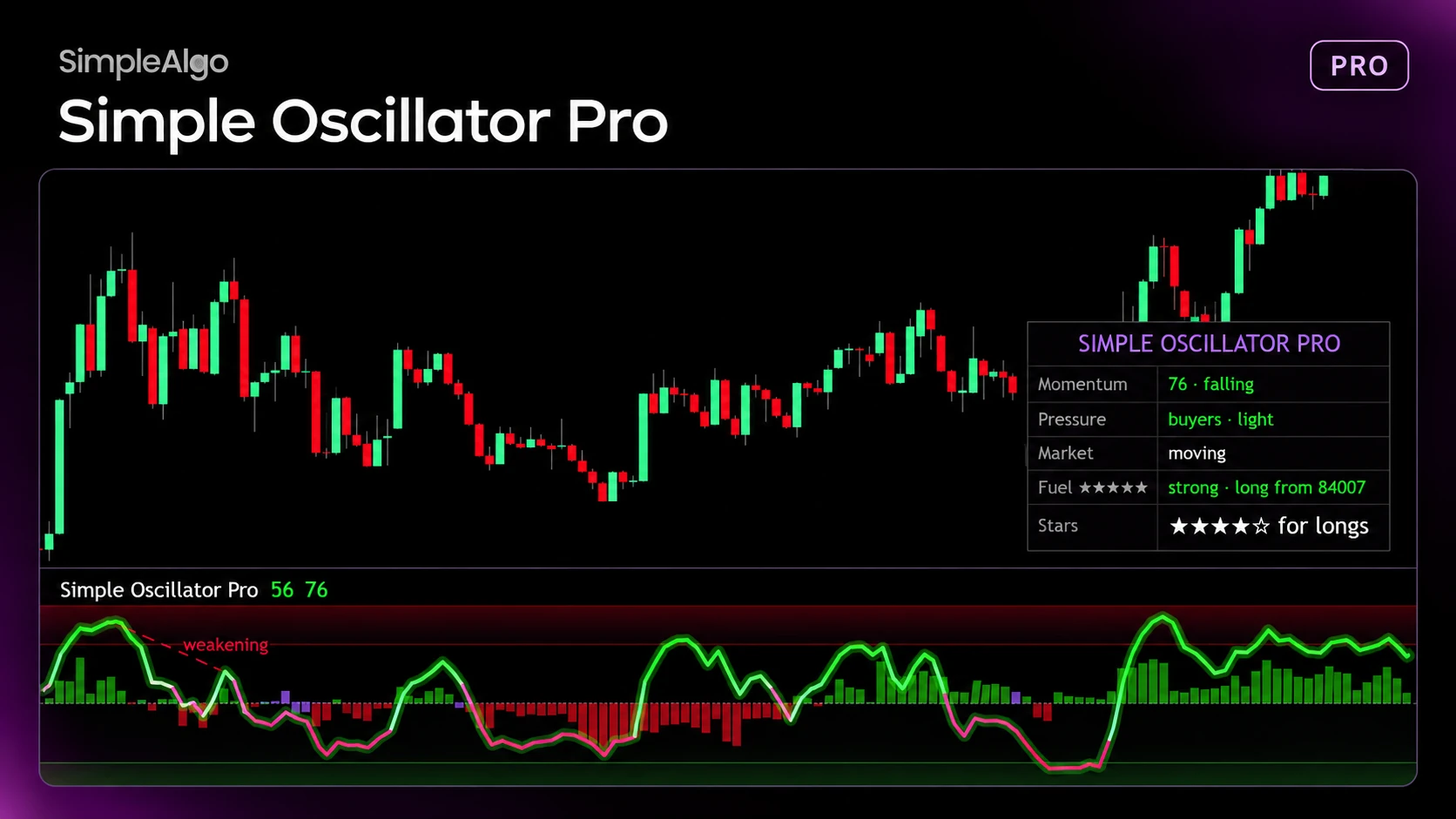
Introducing Simple Oscillator Pro: Is Momentum With You or Against You?
We just released Simple Oscillator Pro, a brand new indicator for premium members. It isn't an update to the old Simple Oscillator. It's a completely new tool built around one question: is momentum with you or against you?
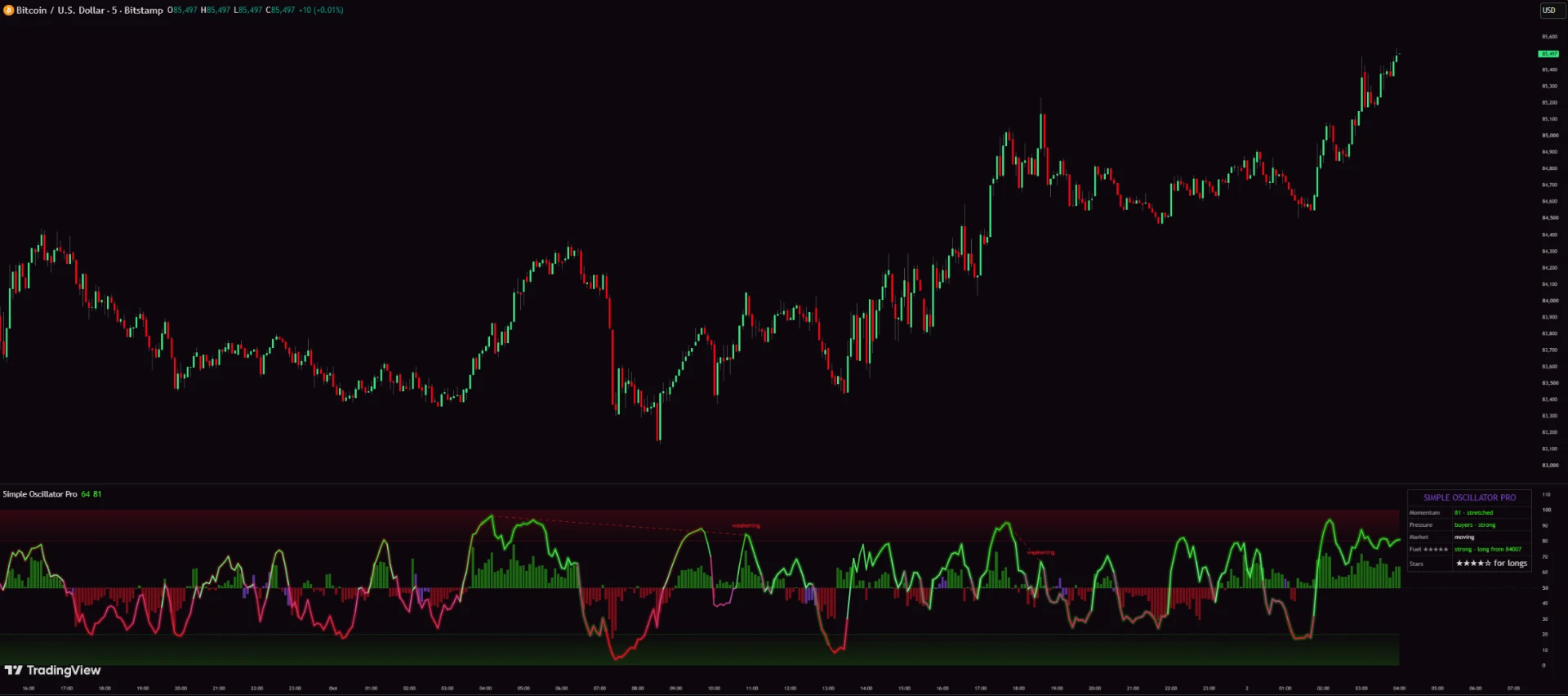
It sits in its own pane under your chart. It helps you read momentum and manage trades. It isn't a buy or sell signal.
What you see in the pane

A quick tip: if the line is above 50 but the columns turn red, price is still extended but buyers are running out.
Stars: five plain checks
You get one star for each check that passes, rated for the direction of the current trend:
The higher timeframes pick themselves based on your chart. Stars are a checklist, not a win rate. They don't predict the outcome of a trade.
Trade Fuel
This is the part we're most excited about. Trade Fuel tracks trades with the same rules as Pro Signals V5, then tells you how much fuel is left:
Fading and Empty are good moments to manage the trade, like taking partial profit or tightening your stop.
Weakening and Coiling
There are also optional Momentum Shift dots, a Trend Strip for three timeframes, and a Trend Background.
Works with Pro Signals V5, or on its own
Simple Oscillator Pro runs on the same trend engine as Pro Signals V5. Use the same Signal Mode and Minimum stars in both and they'll agree. You don't need Pro Signals to use it, though.
How to get it
Simple Oscillator Pro is included with every premium membership, and it's already been added to members' TradingView accounts.
Not a member yet? See Simple Oscillator Pro and everything else included.
Want every setting and alert explained? Read the full Simple Oscillator Pro guide in the docs.
SimpleAlgo provides educational tools and chart analysis. Nothing here is financial advice. Trading involves substantial risk of loss, and past performance does not guarantee future results.

Written by
Nikolas MetreveliFounder of SimpleAlgo
Nikolas wrote his first real code at 12 and freelanced software tools and websites for small businesses before finding the markets at 15. He builds and maintains every SimpleAlgo indicator and writes these guides from hands-on use of the tools.
More about Nikolas and SimpleAlgoRelated Articles
Pro Signals V5 Update: Star-Rated Signals, the Why, and a Built-In Trade Plan
The biggest update to Pro Signals V5 yet. Every signal now comes with a 5-star rating, the reasons behind it, and a stop with three targets. Here's everything that changed.
How the Pro Signals V5 5-Star Signal Rating Works
Five checks, one star each. What every star in Pro Signals V5 means, which higher timeframes it reads, and how to actually use the rating.
Introducing Liquidity Master: A Free Indicator That Maps the Order Book on Your Chart
Liquidity Master is a new free, open-source TradingView indicator. It maps where stops and resting orders sit, draws them as a depth ladder beside price, and keeps score of how the biggest walls hold.
Related tools and guides
Next steps on this topic from the rest of the SimpleAlgo library.